Introduction
For many people, there is still nothing quite like writing by hand. Notes stick better, ideas flow more freely and sketching a quick diagram is far easier with a pen than a keyboard. The problem is that paper notebooks pile up, get lost and are impossible to search. Paper tablets aim to give you the best of both worlds.
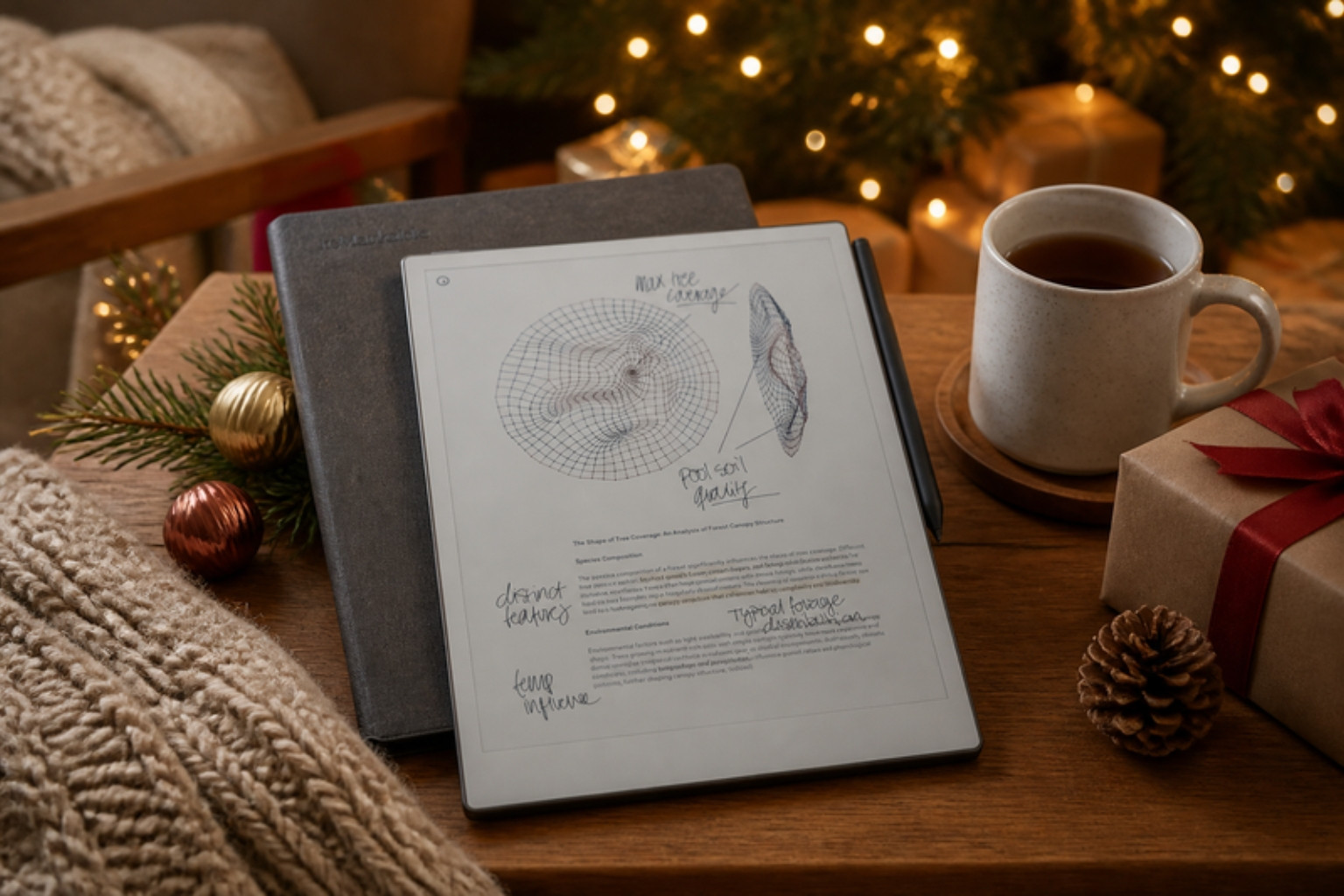
The reMarkable Paper Pro is the most advanced paper tablet reMarkable has made. It features an 11.8 inch colour E Ink touchscreen with an adjustable front light, designed to feel as close as possible to writing on real paper. Paired with the Marker Plus, which has a built in eraser on the end, and the Book Folio cover, it is a premium, distraction free tool for thinking, writing and reading documents.
What makes it stand out is its focus. There are no social media apps, no email notifications and no endless browser tabs. It is designed purely for writing, sketching, reading and annotating, which makes it remarkably calming to use.
We used the Paper Pro for two weeks for meeting notes, planning, journalling and marking up PDFs.
Quick Verdict
Overall rating: 4.5 out of 5
Best for: Note takers, professionals, students and anyone who prefers handwriting
Short summary: The reMarkable Paper Pro is a beautifully designed, distraction free paper tablet with a natural writing feel, a helpful front light and the welcome addition of colour. It replaces stacks of notebooks with one slim device. It is expensive, and the colour E Ink is softer than an LCD tablet, but for people who love writing by hand, it is a genuinely transformative tool.
Main pros
- Natural, paper like writing feel
- Large 11.8 inch colour E Ink display
- Adjustable front light for low light use
- Distraction free focus
- Marker Plus with built in eraser
- Book Folio protects like a notebook cover
Main cons
- Premium price
- Colours are muted compared with LCD tablets
- Not a general purpose tablet
- Some cloud features may require a subscription
Quick buying recommendation: If you fill notebooks regularly and want to go digital without losing the joy of handwriting, the Paper Pro is a brilliant investment.
Where to buy: Buy direct from reMarkable | Check the latest price on Amazon
Product Overview Table
| Feature | Details |
|---|---|
| Product Name | reMarkable Paper Pro (with Book Folio and Marker Plus) |
| Brand | reMarkable |
| Product Type | Colour E Ink paper tablet |
| Key Features | 11.8 inch colour E Ink touchscreen, front light, Marker Plus with eraser, Book Folio |
| Main Purpose | Handwritten notes, sketching, reading and annotating documents |
| Price Range | Premium, check reMarkable for current UK bundle pricing |
| Materials | Premium build with textured writing surface |
| Best For | Professionals, students, writers and planners |
| Available Variants | Various Marker and Folio bundles |
Design & Build Quality
First impressions
The Paper Pro feels premium straight out of the box. It is slim, elegant and refined, with a textured screen that invites you to start writing.
Display
The 11.8 inch colour E Ink display is large enough for full A4 style notes and PDFs. Colour adds a new dimension for highlighting, diagrams and planning.
Front light
The adjustable front light makes it usable in dim rooms and evening meetings, a big step forward for E Ink writing tablets.
Marker Plus
The Marker Plus feels balanced and natural, with a built in eraser on the end that works just like a pencil.
Book Folio
The Book Folio protects the tablet and makes it feel like a classic notebook.
Features & Performance
Writing feel
Writing feels remarkably close to pen on paper, with a gentle texture and minimal lag.
Colour
Colour is softer and more muted than an LCD screen, but it is perfect for highlighting, colour coding and simple diagrams.
Reading and annotating
PDFs and documents are easy to read and annotate, making it brilliant for reviewing reports or studying.
Organisation
Notes can be organised into notebooks and folders, and handwriting can be converted to text.
Battery life
E Ink is very power efficient. Our tester charged it infrequently during testing.
Real-World Experience
Our tester attends several meetings a week and previously used paper notebooks.
The Paper Pro quickly replaced all of them. Meeting notes, to do lists and planning pages were all in one place.
The front light was a game changer for evening work and dim meeting rooms.
Colour helped organise notes, with highlights and colour coded diagrams.
Frustrations included the price and the muted colour compared with tablets. It also took a little time to set up a workflow for exporting notes.
The biggest benefit was focus. Without notifications, our tester found they thought more clearly.
Pros & Cons Table
| Pros | Cons |
|---|---|
| Natural writing feel | Expensive |
| Large colour E Ink display | Muted colours |
| Adjustable front light | Not a general purpose tablet |
| Distraction free | Some cloud features may need a subscription |
| Marker Plus with eraser | Workflow setup takes time |
| Premium Book Folio | Accessories add to cost |
Who Should Buy This?
The Paper Pro is ideal for professionals, students, writers and anyone who prefers handwriting.
It is less suited to those who want a general purpose tablet for streaming, browsing and apps.
As a gift, it is a luxurious and thoughtful choice for note takers.
Alternatives & Comparisons
reMarkable 2
A cheaper, black and white model without a front light.
Kindle Scribe
An E Ink writing tablet with Kindle integration. More affordable but less focused on writing.
Boox Note Air
Android based E Ink tablets with more apps but more distractions.
iPad with Apple Pencil
More versatile, but less paper like and more distracting.
Is It Worth The Money?
The Paper Pro is expensive, but for heavy note takers, it can replace countless notebooks and improve organisation and focus. For the right person, it is worth the investment.
Final Verdict
The reMarkable Paper Pro is a beautifully designed, distraction free paper tablet with a natural writing feel, a helpful front light and useful colour.
It is expensive and not a general tablet, but for handwriting lovers, it is outstanding.
Overall rating: 4.5 out of 5
Where to buy: Buy direct from reMarkable | Check the latest price on Amazon
FAQs
What size is the reMarkable Paper Pro screen?
It has an 11.8 inch colour E Ink display.
Does the reMarkable Paper Pro have a backlight?
It has an adjustable front light.
Does the Marker Plus have an eraser?
Yes. It has a built in eraser on the end.
Can you read PDFs on the reMarkable Paper Pro?
Yes. You can read and annotate PDFs.
Does reMarkable require a subscription?
Some cloud features may require a subscription. Check reMarkable’s website for details.
Is the reMarkable Paper Pro a good gift?
Yes. It is a premium gift for note takers and professionals.