Introduction
If you spend most of your day at a computer, there is a good chance you have felt it. A dull ache in the wrist, tightness along the forearm or a stiff shoulder by the end of the afternoon. A lot of that comes from the way a traditional mouse forces your hand to lie flat, twisting the bones in your forearm for hours at a time. Vertical mice aim to fix that by turning your hand into a more natural handshake position.
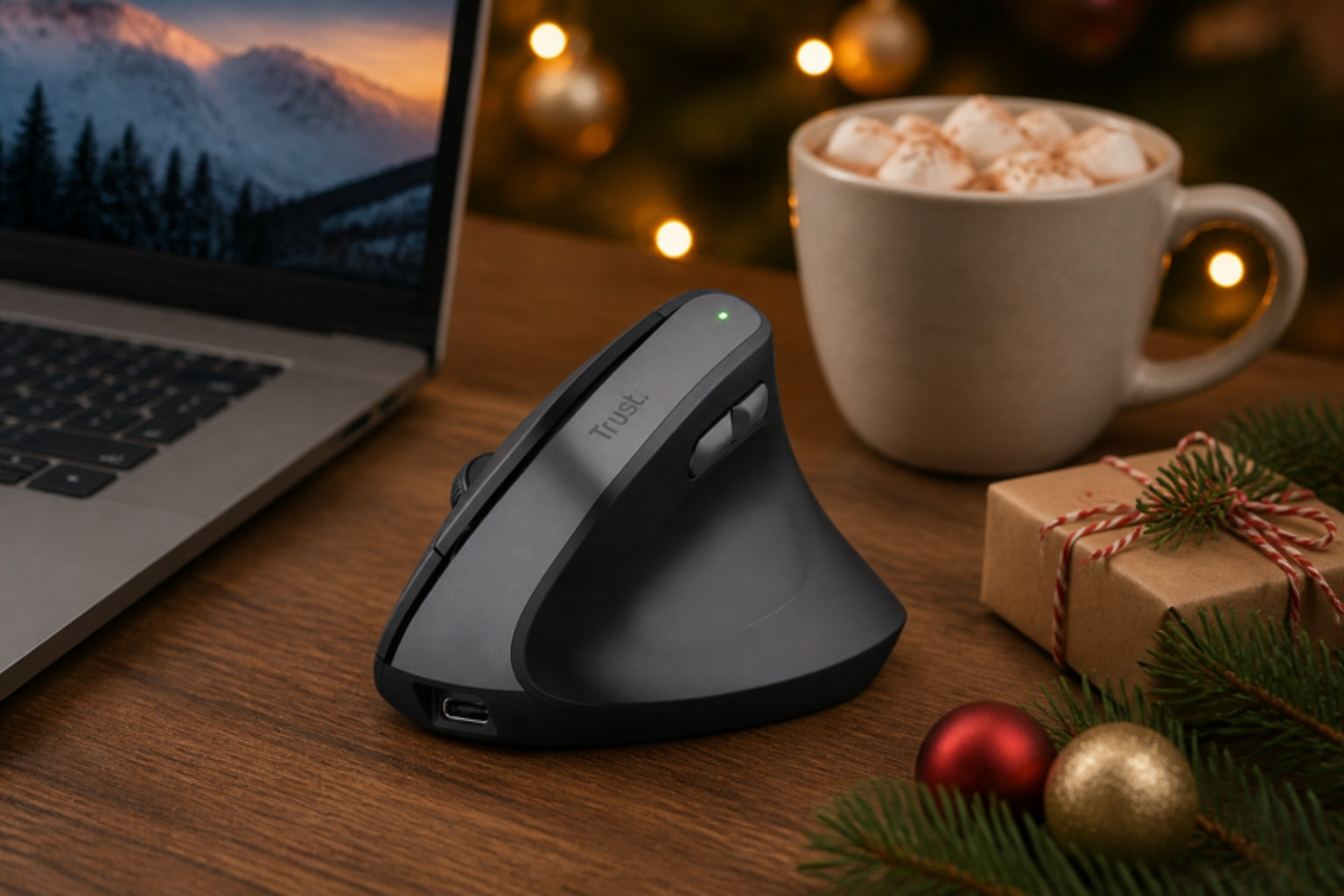
The Trust Yuno is a vertical ergonomic wireless mouse that does exactly that. It holds your hand at a 57 degree angle, which Trust describes as optimal for reducing strain on the wrist and arm, and it has been awarded a three star ErgoCert rating. It is rechargeable, uses silent buttons and has adjustable sensitivity from 800 to 2400 DPI.
What makes it stand out is the price. Many well known vertical mice cost considerably more, which puts people off trying one. The Yuno makes ergonomic comfort accessible, while still offering the features most office users need. It is also made from 53% recycled plastic, which is a welcome touch.
We swapped our usual mouse for the Yuno for two weeks of full time desk work, spreadsheets, emails and a bit of photo editing to see whether it really makes long days more comfortable.
Quick Verdict
Overall rating: 4.4 out of 5
Best for: Home workers, office workers and students who want a more comfortable mouse without spending a fortune
Short summary: The Trust Yuno is a comfortable, well designed vertical mouse that genuinely eases wrist strain during long working days. The 57 degree angle feels natural after a short adjustment period, the silent buttons are a pleasure in shared spaces and the battery life is excellent. It is not designed for gaming, and left handers will need to look elsewhere, but as an affordable ergonomic upgrade it is hard to beat.
Main pros
- Comfortable 57 degree vertical angle
- Silent clicks ideal for shared spaces
- Rechargeable with long battery life and fast top ups
- Receiver stores inside the mouse
- Excellent value for an ergonomic mouse
- Made with recycled plastic
Main cons
- Takes a few days to adjust to
- Right handed only
- Not built for fast paced gaming
- Single device connection
Quick buying recommendation: If you suffer from wrist or forearm aches at your desk, the Yuno is one of the most affordable ways to try a vertical mouse, and it is good enough that you may never go back.
Where to buy: Check the latest price on Amazon
Product Overview Table
| Feature | Details |
|---|---|
| Product Name | Trust Yuno Ergonomic Wireless Mouse |
| Brand | Trust |
| Product Type | Vertical ergonomic wireless mouse |
| Key Features | 57 degree angle, silent buttons, 800 to 2400 DPI, rechargeable, storable receiver |
| Main Purpose | Comfortable everyday computing with reduced wrist strain |
| Price Range | Around £30 to £35 (check Amazon for current price) |
| Materials | 53% recycled ABS plastic |
| Best For | Home and office workers, students, people with wrist discomfort |
| Available Colours | Black |
Design & Build Quality
First impressions
Out of the box, the Yuno looks a little unusual if you have never used a vertical mouse, standing tall like a sculpted wave. The matt black finish looks smart and professional, and it feels solid and well put together in the hand. There are no creaks or rattles, and the base sits firmly on the desk.
Shape and grip
The defining feature is the 57 degree angle. Your hand rests on the side of the mouse in a handshake position, with your thumb resting in a sculpted groove and your fingers wrapping around the buttons on the opposite side. The shape is designed for medium sized right hands and felt comfortable for our tester.
Buttons
The main buttons are silent, producing only a soft tap rather than a loud click. That is a genuine benefit in shared offices, on video calls and when working late while others are asleep. Two thumb buttons handle forward and back, and a speed select button toggles DPI.
Receiver storage and charging
The 2.4G USB receiver slots neatly into the mouse when not in use, which is perfect for laptop users who carry their mouse between home and office. Charging is via the included USB cable.
Sustainability
Trust says the Yuno uses 53% GRS certified recycled plastic. It is good to see budget peripherals taking sustainability more seriously.
Features & Performance
Comfort
This is where the Yuno earns its keep. After a short adjustment period, the vertical position felt noticeably more relaxed than a flat mouse. Our tester, who often ends the day with an achy wrist, found that discomfort eased considerably over the testing period.
Accuracy and sensitivity
The adjustable DPI, from 800 to 2400, covers everything from precise photo editing to zipping across large or dual monitors. Tracking was smooth and reliable on a standard mouse mat and on a wooden desk.
Battery life
Trust quotes up to three months of battery life depending on use, and a five minute charge for around eight hours of use. In our testing, the battery rarely needed attention, and when it did run low, a quick top up during a coffee break was enough to get through the rest of the day.
Connectivity
The Yuno connects via its 2.4G USB receiver. Connection was stable throughout testing with no lag or dropouts. It connects to one device at a time, so multi device users may want to consider a Bluetooth mouse instead.
Gaming
The Yuno is built for productivity rather than gaming. Casual games are fine, but competitive gamers will want a dedicated gaming mouse.
Real-World Experience
Our tester works from home full time, spending around eight hours a day on spreadsheets, emails and video calls. They had started to notice wrist ache by mid afternoon and were curious whether a vertical mouse could help.
The first day was odd. Precision movements felt slightly clumsy, and our tester kept reaching for the wrong buttons. By day three, things clicked, and by the end of the first week, the Yuno felt completely natural.
By the second week, the improvement in comfort was clear. The mid afternoon wrist ache became much less noticeable, and our tester found themselves less tempted to stretch and shake out their hand between tasks.
The silent buttons were a surprise hit. During video calls, there was no clicking noise, and working late in the evening no longer disturbed anyone else in the house.
There were a couple of frustrations. Fine selections in photo editing took a little longer to master, and as a single device mouse, it did not switch between our tester’s work laptop and personal tablet.
By the end of testing, our tester did not want to return to a flat mouse. That is probably the best endorsement a vertical mouse can get.
Pros & Cons Table
| Pros | Cons |
|---|---|
| Comfortable 57 degree vertical design | Takes a few days to get used to |
| Silent clicks for shared spaces | Right handed only |
| Long battery life and quick charging | Single device connection only |
| Receiver stores inside the mouse | Not designed for competitive gaming |
| Adjustable DPI up to 2400 | Shape may not suit very large or small hands |
| Affordable for an ergonomic mouse | Fine precision work takes practice |
Who Should Buy This?
The Trust Yuno is ideal for anyone who spends long hours at a computer and wants a more comfortable alternative to a traditional mouse. It suits home workers, office staff, students and anyone who has started to notice wrist or forearm strain.
It is particularly good for people who are curious about vertical mice but do not want to spend a lot to try one.
It is less suited to left handed users, competitive gamers and people who need to switch between multiple devices regularly.
As a gift, it is thoughtful and practical. It works well as a Secret Santa present, a stocking filler for a home worker or part of a desk upgrade bundle.
Alternatives & Comparisons
Logitech Lift
The Logitech Lift is a popular vertical mouse with multi device Bluetooth and a left handed version. It is more expensive, but worth considering if you need to switch between devices.
Logitech MX Vertical
A premium vertical mouse with advanced features and a steeper angle. It costs significantly more than the Yuno.
Anker vertical mice
Anker offers budget vertical mice, often at a similar or lower price. The Yuno feels more polished, with silent buttons and better battery life.
Traditional wireless mice
Standard wireless mice are cheaper and more familiar, but they do not offer the ergonomic benefits of a vertical design.
Is It Worth The Money?
At around £30 to £35, the Yuno is excellent value. You get a comfortable, well made vertical mouse with silent buttons, strong battery life and a sensible feature set.
Long term value is good, as it is rechargeable and robust enough for daily use. If it reduces discomfort during long working days, it is worth far more than its price.
There are cheaper vertical mice, but few combine comfort, build quality and features this well at this price point.
Final Verdict
The Trust Yuno is a comfortable, practical and affordable vertical mouse that genuinely helps reduce wrist strain. The 57 degree angle feels natural after a short adjustment, the silent clicks are brilliant and the battery life is excellent.
It is right handed only and limited to one device, but for most home and office workers, it is a superb upgrade.
Overall rating: 4.4 out of 5
Where to buy: Check the latest price on Amazon
FAQs
Is the Trust Yuno good for wrist pain?
Vertical mice like the Yuno place the hand in a more natural position, which many users find reduces wrist and forearm strain. If you have a medical condition, speak to a professional.
How long does the Trust Yuno battery last?
Trust quotes up to three months depending on use, with around eight hours of use from a five minute charge.
Is the Trust Yuno silent?
Yes. The main buttons are designed to be silent, making it ideal for shared spaces.
Does the Trust Yuno work with Mac?
It connects via a standard USB receiver, so it should work with most computers. Check Trust’s specifications for full compatibility.
Is the Trust Yuno suitable for left handed users?
No. It is designed for right handed use.
How long does it take to get used to a vertical mouse?
Most people adjust within a few days to a week.