Introduction
Modern working life rarely involves just one device. Many of us bounce between a work laptop, a personal computer and a tablet throughout the day, and juggling separate mice for each quickly gets messy. At the same time, endless spreadsheets, long documents and web pages mean we spend a surprising amount of time simply scrolling.
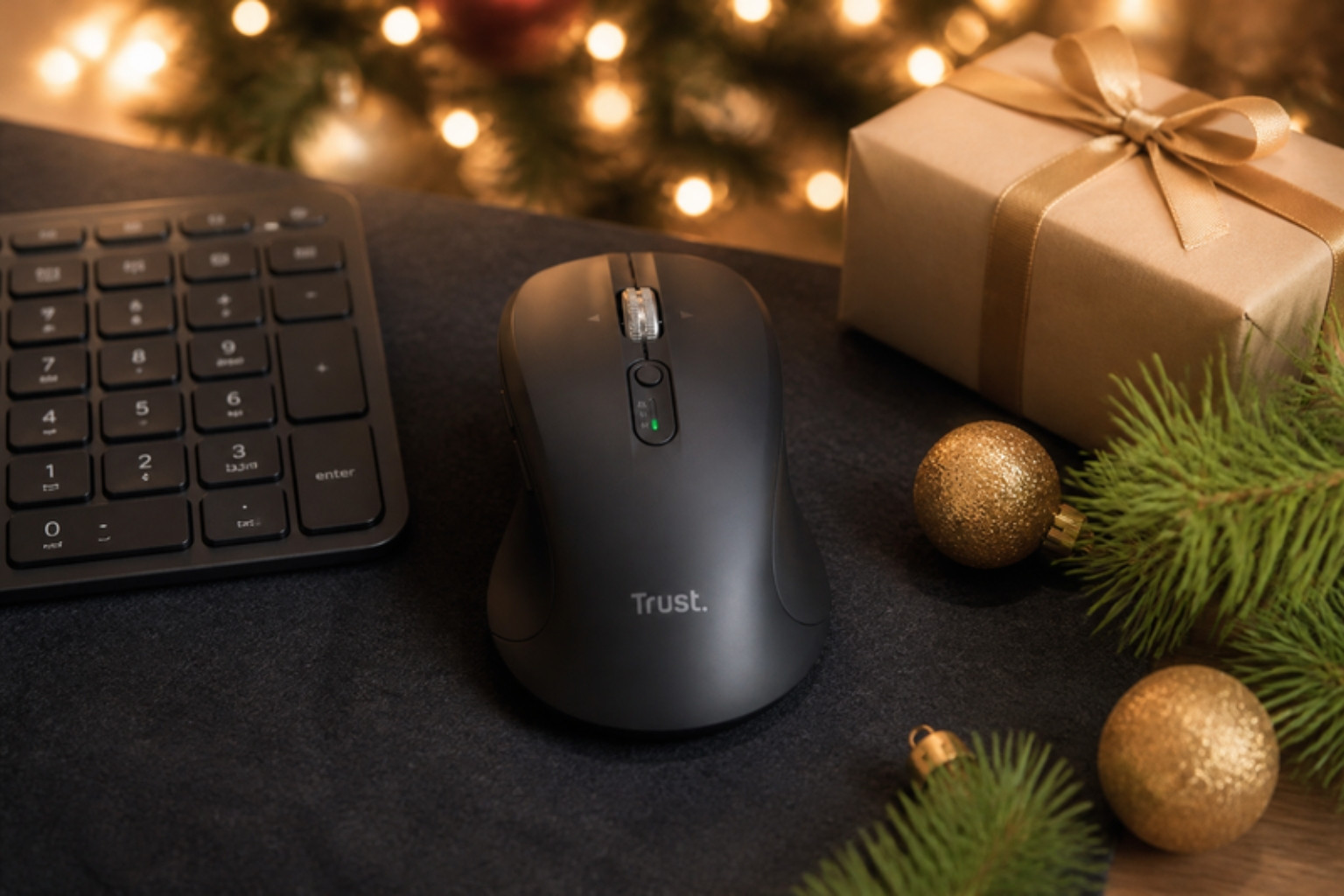
The Trust Treva Hyperscroll is designed to tackle both problems. It is a multi device wireless mouse that connects to up to three devices, two over Bluetooth and one via a USB receiver, and switches between them with a single button press. Its standout feature is a metal hyperscroll wheel that spins freely for super fast scrolling and tilts for horizontal navigation.
What makes the Treva stand out is that it brings features normally found on premium productivity mice to a more accessible price point. Silent buttons, adjustable DPI, impressive battery life and a body made from 85% recycled plastics round off a compelling package.
We used the Treva as our main mouse for two weeks across a work laptop, a home desktop and a tablet to see how it handles real world multitasking.
Quick Verdict
Overall rating: 4.5 out of 5
Best for: Home workers, students and productivity fans who use multiple devices and scroll a lot
Short summary: The Trust Treva Hyperscroll is a superb productivity mouse that makes multitasking and scrolling genuinely easier. The hyperscroll wheel is a joy for long documents, multi device switching is quick and reliable, and the battery life is outstanding. It is not a gaming mouse, and the shape is more traditional than ergonomic, but for everyday work it punches well above its price.
Main pros
- Metal hyperscroll wheel for ultra fast scrolling
- Tilt wheel for horizontal navigation
- Connects to up to three devices
- Silent buttons
- Up to 19 months battery life
- Made from 85% recycled plastics
Main cons
- Not designed for gaming
- Shape is standard rather than ergonomic
- Free spinning wheel takes a little getting used to
Quick buying recommendation: If you switch between devices and spend a lot of time in documents or spreadsheets, the Treva is an excellent, affordable upgrade.
Where to buy: Check the latest price on Amazon
Product Overview Table
| Feature | Details |
|---|---|
| Product Name | Trust Treva Hyperscroll Multi-Device Wireless Mouse |
| Brand | Trust |
| Product Type | Multi device wireless productivity mouse |
| Key Features | Metal hyperscroll wheel with tilt, 3 device connectivity, silent buttons, 1000 to 3200 DPI |
| Main Purpose | Productivity and multitasking |
| Price Range | £17.99 on Amazon |
| Materials | 85% recycled plastics, metal scroll wheel |
| Best For | Home workers, students, spreadsheet and document heavy users |
| Available Colours | Check retailer for colour options |
Design & Build Quality
First impressions
The Treva feels sleek and modern. The metal scroll wheel immediately catches the eye and gives the mouse a more premium feel than many budget alternatives. The body is comfortable and well proportioned, and the finish feels smooth and durable.
Shape and comfort
The Treva has a traditional mouse shape rather than a vertical or heavily sculpted ergonomic design. It fits comfortably in the hand for most grip styles, and our tester found it comfortable during full working days.
Buttons
The main buttons are silent, producing a soft, muted click. Thumb buttons handle back and forward navigation, which is handy for web browsing and document work.
Hyperscroll wheel
The metal wheel is weighty and smooth. In free spin mode, a single flick sends you flying through long pages, and you can switch back to a more controlled, notched feel when precision matters. The wheel also tilts left and right for horizontal scrolling.
Sustainability
Trust says the Treva uses 85% recycled plastics, which is impressive for a mass market peripheral.
Features & Performance
Scrolling
The hyperscroll wheel is the highlight. Scrolling through a 50 page report or a huge spreadsheet becomes a single flick rather than dozens of turns. Horizontal tilt makes navigating wide spreadsheets and timelines much easier.
Multi device switching
The Treva connects to up to three devices: two via Bluetooth and one via the 2.4G USB receiver. Switching takes a single button press and was quick and reliable in our testing.
Accuracy
Adjustable DPI from 1000 to 3200 lets you fine tune sensitivity. Tracking was smooth on mouse mats and desks, and the higher DPI settings were useful on a large monitor.
Battery life
Trust quotes up to 19 months of battery life based on average use. Over our testing period, there was no noticeable drop in performance.
Gaming
The Treva is designed for productivity. Casual gaming is fine, but competitive gamers will want a dedicated gaming mouse.
Real-World Experience
Our tester works hybrid, using a work laptop at home and in the office, a personal desktop for evenings and a tablet for reading. Previously, they used three different mice.
Setting up the Treva with all three devices took only a few minutes. From then on, switching was as simple as pressing a button. Our tester quickly consolidated to one mouse, which made the desk tidier.
The hyperscroll wheel was the biggest surprise. Our tester spends hours in long spreadsheets and documents, and free spin scrolling saved time and finger strain. Horizontal tilt was particularly useful for wide spreadsheets.
The silent buttons were appreciated during video calls and late evening work sessions.
Frustrations were minor. The free spinning wheel took a day or two to get used to, and occasionally overshot when our tester wanted precise scrolling. Switching to the notched mode solved this.
The other consideration is ergonomics. The Treva is comfortable, but those with wrist pain may prefer a vertical design like the Trust Yuno.
Pros & Cons Table
| Pros | Cons |
|---|---|
| Ultra fast metal hyperscroll wheel | Not designed for gaming |
| Horizontal tilt scrolling | Standard rather than ergonomic shape |
| Connects to three devices | Free spin wheel takes some adjustment |
| Silent buttons | |
| Exceptional battery life | Right sized for medium hands |
| Made from 85% recycled plastics | Fewer customisation options than premium rivals |
Who Should Buy This?
The Trust Treva Hyperscroll is ideal for home workers, hybrid workers, students and anyone who uses multiple devices. It is especially valuable for people who work with long documents, spreadsheets and web pages.
It is less suited to competitive gamers and people looking for a vertical ergonomic mouse.
As a gift, it is a smart, practical choice for anyone who works at a desk. Pair it with the Trust Vira keyboard for a matching multi device setup.
Alternatives & Comparisons
Logitech MX Master 3S
The MX Master 3S is the benchmark productivity mouse, with a MagSpeed wheel and advanced customisation. It costs considerably more than the Treva.
Logitech MX Anywhere 3S
A compact premium mouse with a fast scroll wheel and multi device support. It is more portable but pricier.
Trust Ferro and Seron Hyperscroll mice
Other models in Trust’s hyperscroll range offer similar features in different shapes and sizes.
Basic wireless mice
Cheaper mice lack multi device switching and hyperscroll wheels, which are the Treva’s biggest strengths.
Is It Worth The Money?
The Treva offers premium features at an accessible price. Multi device switching, a metal hyperscroll wheel, silent buttons and outstanding battery life make it excellent value.
Long term value is strong, as it is durable and has very long battery life. For productivity users, it is one of the best value mice around.
Final Verdict
The Trust Treva Hyperscroll is a brilliant productivity mouse. The metal hyperscroll wheel makes navigating long documents effortless, multi device switching is fast and reliable and the battery life is superb.
It is not ergonomic or built for gaming, but for everyday work and multitasking, it is an outstanding choice.
Overall rating: 4.5 out of 5
Where to buy: Check the latest price on Amazon
FAQs
What is a hyperscroll wheel?
It is a scroll wheel that can spin freely, allowing you to scroll through long pages very quickly with a single flick.
How many devices can the Trust Treva connect to?
Up to three: two via Bluetooth and one via the USB receiver.
How long does the Trust Treva battery last?
Trust quotes up to 19 months based on average use.
Is the Trust Treva silent?
Yes. The main buttons are designed to be silent.
Does the Trust Treva support horizontal scrolling?
Yes. The wheel tilts left and right for horizontal scrolling.
Is the Trust Treva good for gaming?
It is designed for productivity rather than competitive gaming.