|
Getting your Trinity Audio player ready...
|
Star Rating:

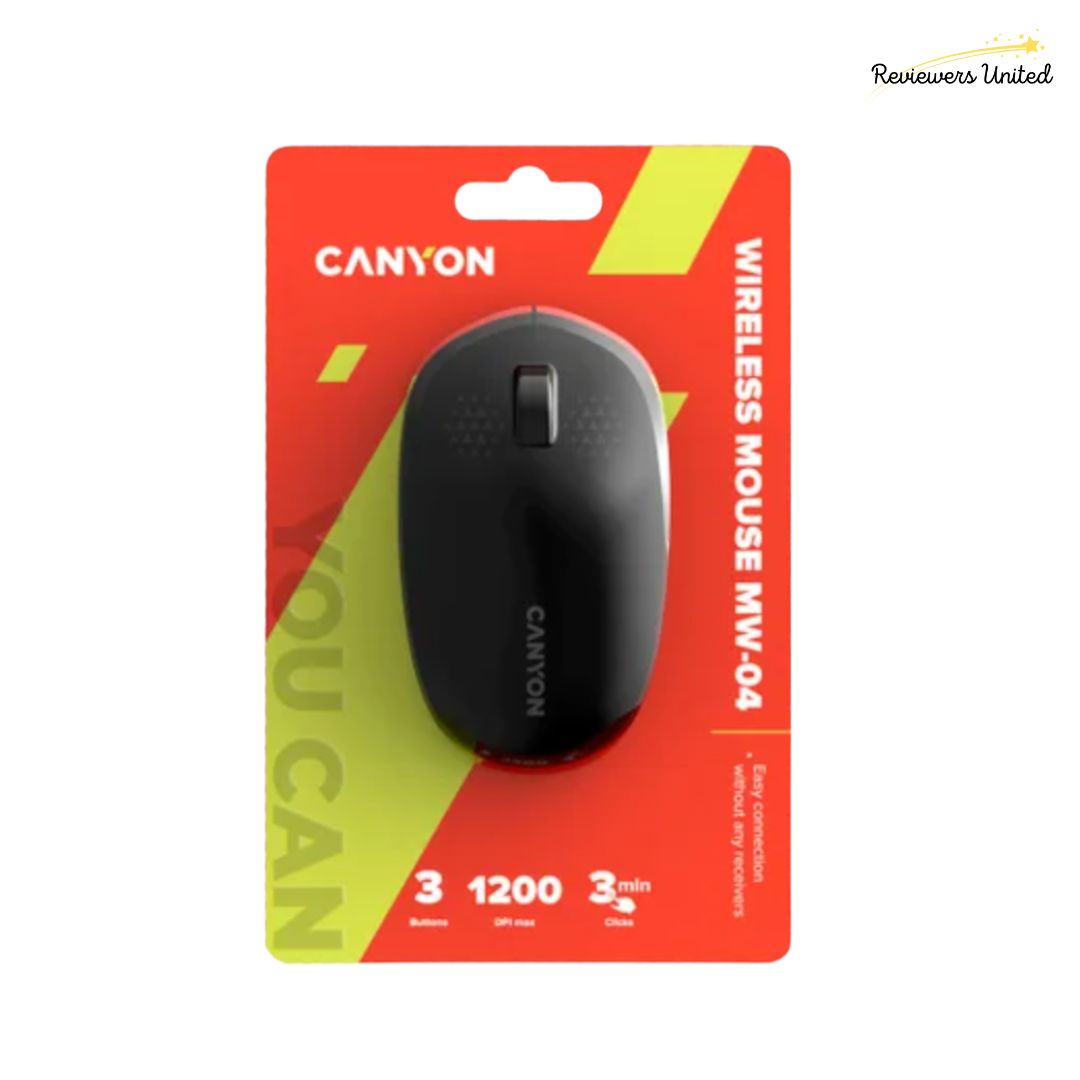
Let me tell you why the Canyon Wireless Mouse MW‑04 is a real gem for any home office or workspace setup. First off, it nails the sweet spot between simplicity and functionality. With a Bluetooth 5.0 connection, it pairs seamlessly to laptops, tablets, or desktops, no clunky dongle or USB port hogging. The optical sensor offers up to 1200 DPI, which is snappy and responsive enough for everyday browsing, document work, or light creative tasks. Weighing in at just about 47 g, it’s lightweight and compact—perfect for slipping into a bag or stashing beside your keyboard without adding bulk.
What really makes the MW-04 stand out is how dependable and user-friendly it feels in daily use. The three buttons are rated for up to 3 million clicks, giving you confidence in its longevity. Its ambidextrous design ensures comfort whether you’re left- or right-handed. And energy efficiency is baked in, with its smart power-saving mode, a single AA battery can stretch its life considerably. Compared to many bargain mice that compromise on build or responsiveness, the MW-04 strikes a balance: it’s affordable (you’ll find it for under £10 in many UK shops) yet still reliable. Dive into your work or play session, and this little mouse will quietly get the job done with style.
Pros & Cons
Additional Pros and Cons
Pros:
- Energy Efficient: The smart power-saving mode helps stretch battery life, especially when idle.
- Ambidextrous: Because of its symmetric shape, both left-handed and right-handed users can feel comfortable using it.
- Durable Buttons: The 3 million click rating suggests the buttons should last through a lot of typical use.
- Budget-Friendly: It’s relatively inexpensive compared to more feature-rich mice, making it a good value for basic use. In the UK, it’s offered for around £5.99 in some stores, including Ryman.
Cons:
- Foam (Rubber) Grip / Plastic Build: While functional, the build materials are basic — it’s plastic and not a premium finish. Over time, wear may show more than on more expensive mice.
- No Extra Buttons or Features: There are only 3 buttons (left, right, scroll wheel). You don’t get side buttons, DPI toggle, RGB lighting, or macro support.
- Battery Replacement Required: It uses one AA battery; while the power-saving feature helps, you’ll still have to replace batteries rather than relying on built-in rechargeable options.
- Ergonomics for Extended Use: Because it’s compact and minimal, it may not provide the ergonomic support or comfort needed for long, intensive sessions (especially for large hands).
Key Features
When you pick up the MW-04, the first thing you notice is how lightweight and compact it feels, just around 47 g, which makes it ideal for clutter-free desks or portable setups. Its build is simple yet purposeful: a matte plastic shell with anti-slip touches, three buttons rated for up to 3 million clicks, and an ambidextrous shape that works for both left- and right-handed users. Compared to many ultra-budget mice, the MW-04 offers a more reassuring feel: the buttons have a solid feedback, the seams are clean, and there’s no obvious rattling of internal parts. That said, it doesn’t pretend to be premium, there’s no glossy finish, no RGB lighting, and no extravagance — but for its class it presents above average quality.
On the spec front, the MW-04 uses a Bluetooth 5.0 connection (no USB dongle needed) and an optical sensor capped at 1200 DPI, combined with a “smart power saving” mode. That’s respectable for productivity tasks, web browsing, document editing, and other typical work needs. Where it falls short is when compared to mice with higher DPI ranges, adjustable sensitivity, or extra programmable buttons, those models offer more versatility especially for design, gaming, or multi-screen workflows. But in exchange, many of those fancier mice cost significantly more and sometimes sacrifice durability or simplicity.
As for price, the MW-04 is a standout in affordability. In the UK it’s listed around £5.99 on Ryman’s site. That kind of price is rare for a Bluetooth mouse with decent build quality and a 3-million-click rating. In terms of value, it punches above many similarly priced rivals that use wired connections or skimp on durability. For a no-nonsense home office or secondary mouse, it’s hard to beat.
In daily use, the MW-04 delivers exactly what you’d want: a fuss-free pairing process, solid cursor control, and longevity from its click rating and battery savings mode. Because it’s Bluetooth only, it frees up USB slots and avoids the risk of losing a dongle, a plus for minimalist or laptop-based setups. The trade-offs (lower DPI ceiling, no extras) are things to keep in mind, but for general productivity tasks and everyday use, the MW-04 is a smart, practical choice.

Conclusion
The Canyon Wireless Mouse MW-04 proves that great performance doesn’t always come with a hefty price tag. Compact, reliable, and effortlessly simple to use, it’s the perfect companion for anyone looking to streamline their workspace or home office. Its Bluetooth 5.0 connection keeps things neat and cable-free, while the responsive 1200 DPI sensor ensures smooth control across documents, browsers, and creative tasks alike. Designed for comfort and convenience, it’s equally suited to left- and right-handed users, making it a versatile choice for any setup.
Compared to many budget mice that cut corners on build quality or connectivity, the MW-04 stands out as a small but mighty performer. Its sturdy construction, energy-efficient design, and excellent price point make it a fantastic value pick for students, professionals, or remote workers. Whether you’re tackling a day full of emails or working on a project that demands precision, the Canyon MW-04 delivers quiet confidence and dependable performance, proving that simplicity, when done well, is hard to beat.
Canyon Wireless Mouse MW-04 Black Product Specs
- Connectivity: Bluetooth
- Product Features: Wireless, intelligent energy saving system, ambidextrous
- Movement Detection: Optical
- Buttons: 3
- Hand Orientation: Ambidextrous
- Compatible Devices: Laptop, Personal Computer
- Hardware Platform: OMIT
- Power Source: Battery Powered
- Mouse Maximum Sensitivity: 1200 Dots per Inch
What’s in the box?
- Canyon Wireless Mouse MW-04 Mouse
- Guide & User Manual
Where to Buy logitech MX Keys Mini?

Disclaimer: We were sent this product in exchange for a review. All thoughts and opinions are from our staff writers and we were in no way asked to write a positive/negative review on the product. At Reviewers United we take an honest and unbiased approach to all of our reviews. Links within this post may be affiliate links, these mean we take a small commission of sales without any price increase to buyers.