Introduction
Video calls are now part of everyday life for millions of people, whether that is a Monday morning team meeting, a job interview or catching up with family. Yet many of us still rely on the grainy webcam built into our laptop, which often makes us look washed out, blurry and poorly lit.
The Trust Ovala 2K QHD Webcam is designed to fix that. It records at 2560 x 1440 resolution, giving a noticeably sharper image than standard 1080p webcams, and adds practical features like a built in microphone, a physical privacy shutter, an activity indicator light and flexible mounting options.
What makes it stand out is the combination of QHD resolution and thoughtful practicality at a mainstream price. It works with Teams, Zoom and other popular apps, connects via USB-C or USB-A and mounts on a monitor, desk or tripod.
We used the Ovala for two weeks of work calls, online meetings and a bit of content creation to see whether it is a worthwhile upgrade.
Quick Verdict
Overall rating: 4.3 out of 5
Best for: Home workers, students and anyone who wants sharper, more professional video calls
Short summary: The Trust Ovala is a sharp, easy to use and practical webcam that makes video calls look far more professional than a typical laptop camera. The 2K image is crisp, the privacy shutter gives peace of mind and mounting is flexible. Fixed focus and a single microphone mean it is not a creator’s dream camera, but for everyday calls it is an excellent upgrade.
Main pros
- Sharp 2K QHD resolution
- Physical privacy shutter and activity light
- Flexible mounting with monitor clip and tripod thread
- Works over USB-C or USB-A
- Plug and play with Teams and Zoom
Main cons
- Fixed focus rather than autofocus
- Single microphone is fine but not exceptional
- 30fps rather than 60fps
Quick buying recommendation: If your laptop webcam lets you down on calls, the Ovala is a simple, effective upgrade.
Where to buy: Check the latest price on Amazon
Product Overview Table
| Feature | Details |
|---|---|
| Product Name | Trust Ovala 2K QHD Webcam |
| Brand | Trust |
| Product Type | USB webcam |
| Key Features | 2560 x 1440 at 30fps, 75 degree FOV, privacy shutter, built in mic, noise reduction |
| Main Purpose | Video calls, meetings and basic streaming |
| Price Range | £29.99 on Amazon |
| Materials | Plastic housing with integrated mount |
| Best For | Home workers, students, online meetings |
| Available Variants | Single model |
Design & Build Quality
First impressions
The Ovala has a smooth, rounded design that looks modern and unobtrusive on top of a monitor. It feels solid and well finished.
Mounting
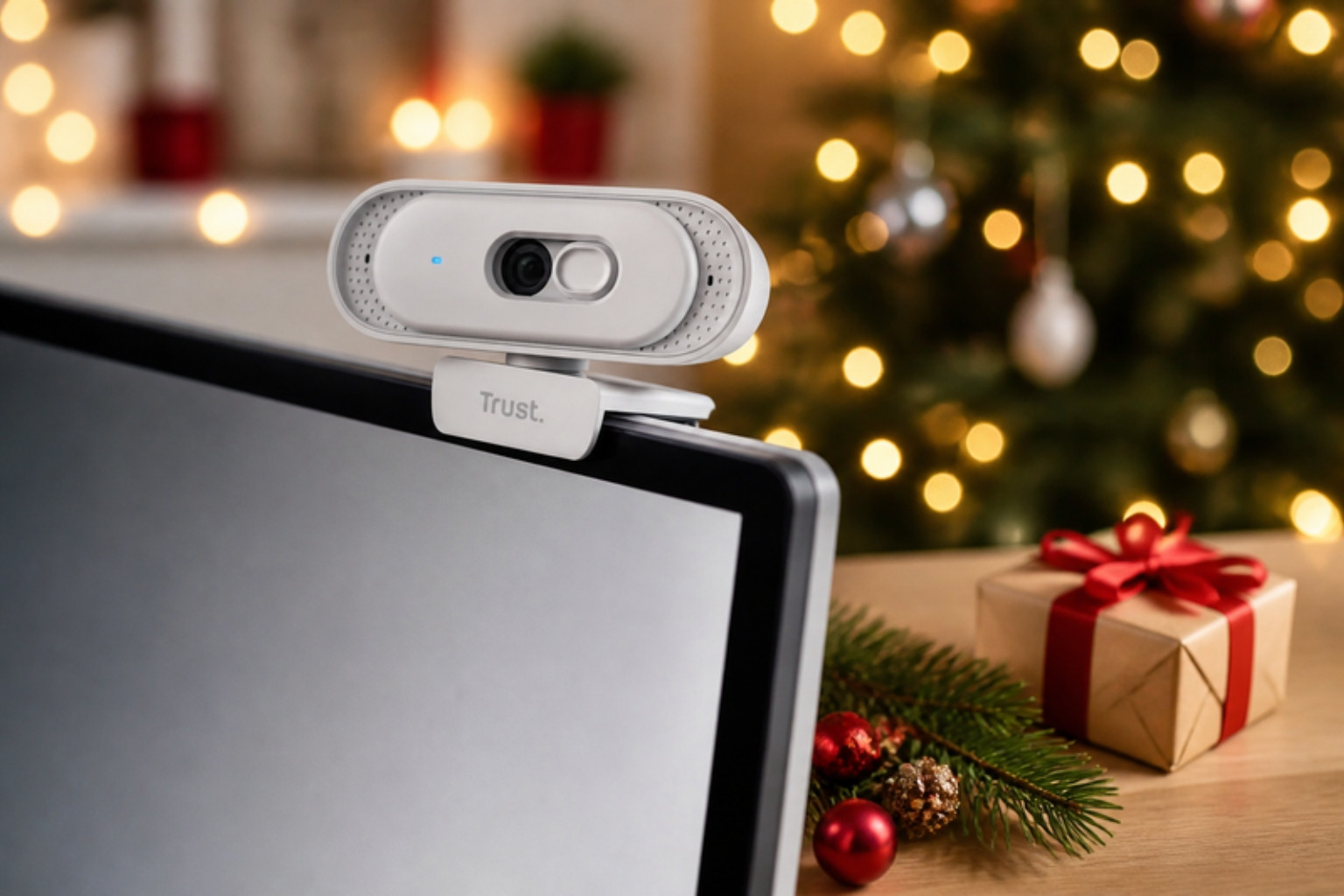
The integrated mount clips securely onto monitors and laptops, and it can also sit on a desk. A standard quarter inch thread lets you attach it to a tripod for more flexible positioning.
Privacy shutter
A physical shutter slides across the lens when you are not using it. Combined with an activity indicator light, it gives clear reassurance that the camera is off.
Connectivity
The Ovala works with USB-C or USB-A, which makes it compatible with modern laptops and older desktops alike.
Features & Performance
Image quality
At 2560 x 1440, the Ovala produces a crisp, detailed image that is a clear improvement over typical laptop webcams. Colours looked natural in good lighting, and text on whiteboards was easy to read.
Field of view
The 75 degree field of view frames one person well without showing too much of the room. It is ideal for solo calls and home offices.
Low light performance
Digital noise reduction helps in dimmer rooms, though like most webcams, the image is best with good lighting. A desk lamp or window light makes a big difference.
Focus
The Ovala uses fixed focus. For typical desk distances, this works well, but holding objects very close to the camera will appear soft.
Microphone
The built in microphone is clear enough for everyday calls. For podcasting or streaming, a dedicated microphone like the Trust GXT Ruan is a worthwhile addition.
Frame rate
It records at 30fps, which is perfectly smooth for video calls.
Real-World Experience
Our tester works hybrid and spends several hours a week on Teams calls. Their laptop webcam produced a soft, grainy image that made them look tired.
Switching to the Ovala made an immediate difference. Colleagues commented that the picture looked sharper and more professional. Our tester felt more confident on calls.
Setup was simple. Our tester plugged it into a USB-C port, selected it in Teams and was ready to go.
The privacy shutter became a habit. Closing it at the end of the working day gave peace of mind.
Frustrations were minor. In a dim room on a winter afternoon, the image softened a little, so our tester added a desk lamp. The fixed focus also meant holding products up close for demonstrations did not look perfectly sharp.
Pros & Cons Table
| Pros | Cons |
|---|---|
| Sharp 2K QHD video | Fixed focus |
| Privacy shutter and activity light | Single microphone |
| Flexible mounting options | 30fps maximum |
| USB-C and USB-A compatibility | Best with good lighting |
| Easy plug and play setup | Not ideal for close up product demos |
| Sleek design |
Who Should Buy This?
The Trust Ovala is ideal for home workers, students, job seekers and anyone who wants to look better on video calls.
It is less suited to serious streamers and creators who want autofocus, 60fps or advanced controls.
As a gift, it is a practical choice for anyone working from home.
Alternatives & Comparisons
Logitech C920
A long standing favourite at 1080p. The Ovala offers higher resolution.
Logitech Brio
A premium 4K webcam with autofocus and advanced features. It costs considerably more.
Trust Taxon QHD
Trust’s earlier 2K webcam with dual microphones and autofocus on some versions. Worth comparing.
Built in laptop webcams
Convenient but often low quality. The Ovala is a clear upgrade.
Is It Worth The Money?
The Ovala offers strong value for a 2K webcam. The sharper image, privacy shutter and flexible mounting make it a worthwhile upgrade for regular video callers.
Final Verdict
The Trust Ovala 2K QHD Webcam is a sharp, practical and easy to use webcam that makes video calls look far more professional. The privacy shutter and flexible mounting are thoughtful touches.
It lacks autofocus and advanced creator features, but for everyday calls, it is an excellent upgrade.
Overall rating: 4.3 out of 5
Where to buy: Check the latest price on Amazon
FAQs
What resolution is the Trust Ovala webcam?
It records at 2K QHD, 2560 x 1440, at 30fps.
Does the Trust Ovala have autofocus?
No. It uses fixed focus.
Does the Trust Ovala have a microphone?
Yes. It has one built in microphone.
Does it have a privacy cover?
Yes. It has a physical privacy shutter and an activity indicator light.
Does it work with Teams and Zoom?
Yes. It is designed to work with popular video calling apps.
Can it be mounted on a tripod?
Yes. It has a standard quarter inch tripod thread.